Managing and Updating OKRs in Rhythms
Last updated: January 27, 2026
Priorities change, and your OKRs should too. Learn how to update owners, teams, timeframes, alignment, and metrics as your organization evolves. Understand which changes to make carefully and when creating new OKRs makes more sense than editing.
Why You'd Update OKRs
OKRs aren't set in stone. Priorities shift, responsibilities change, teams reorganize, and strategies evolve. You might need to update your OKRs when:
Team members change roles or leave the organization
An Objective's scope expands or contracts based on new information
You need to extend or shorten timeframes
Organizational restructuring affects team ownership
Strategic priorities shift mid-cycle
You discover alignment issues that need correction
This article covers structural changes to OKRs. For updating progress on your Key Results, see Effective Check-Ins to Track OKR Progress in Rhythms.
What You Can Change
After creating OKRs, you can update:
Title and Description: Refine wording or add context
Owner: Reassign accountability to a different person
Time Period: Extend or shorten timeframes
Team: Move OKRs to a different team (affects visibility)
Alignment: Change parent Objectives or Key Results (affects hierarchy)
Key Result Metrics: Update measurement approach (use caution with historical data)
Labels and Tags: Add categorization for organization
The sections below explain when and how to update each, along with what happens when you make changes.
Accessing the Edit Interface
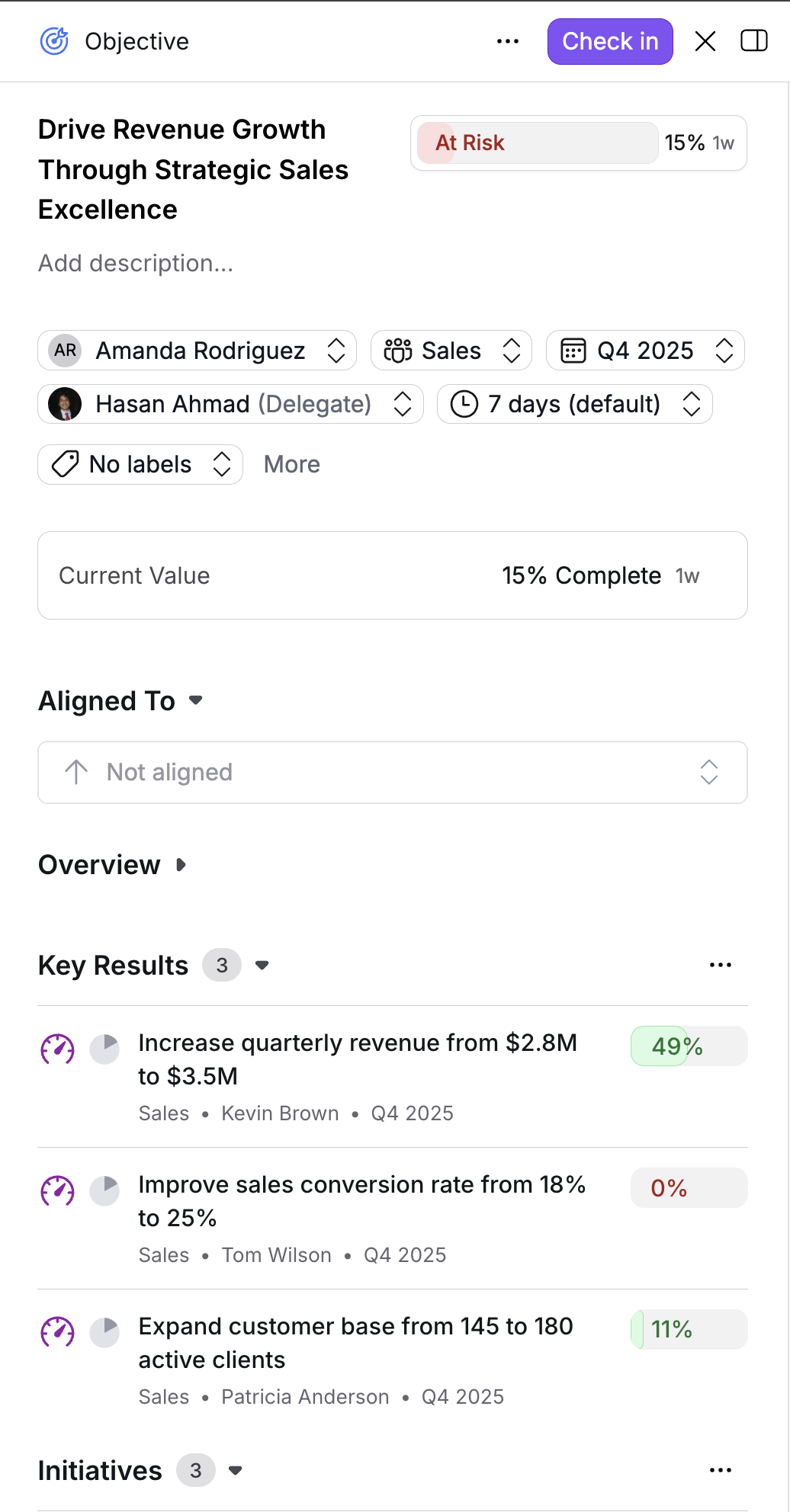
The editing process is identical for Objectives, Key Results, and Initiatives:
Navigate to your Rhythms home screen
Find the OKR component you want to edit
Click on it to open the detail panel
Edit options appear in the panel
Changes take effect immediately when you save them.
What You Can Update
Title and Description
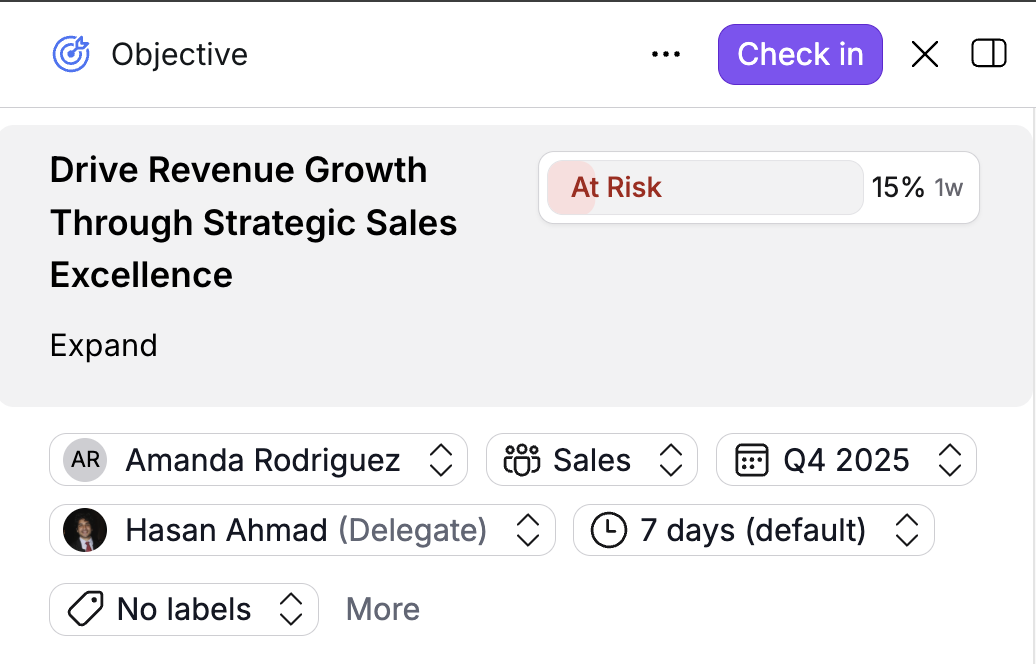
Refine wording for clarity or add context.
When to update:
Original wording is ambiguous
Need to add important context
Improving clarity for the broader team
What happens:
Improves understanding across the organization
Doesn't affect alignment or progress tracking
Historical references remain unchanged
Owner
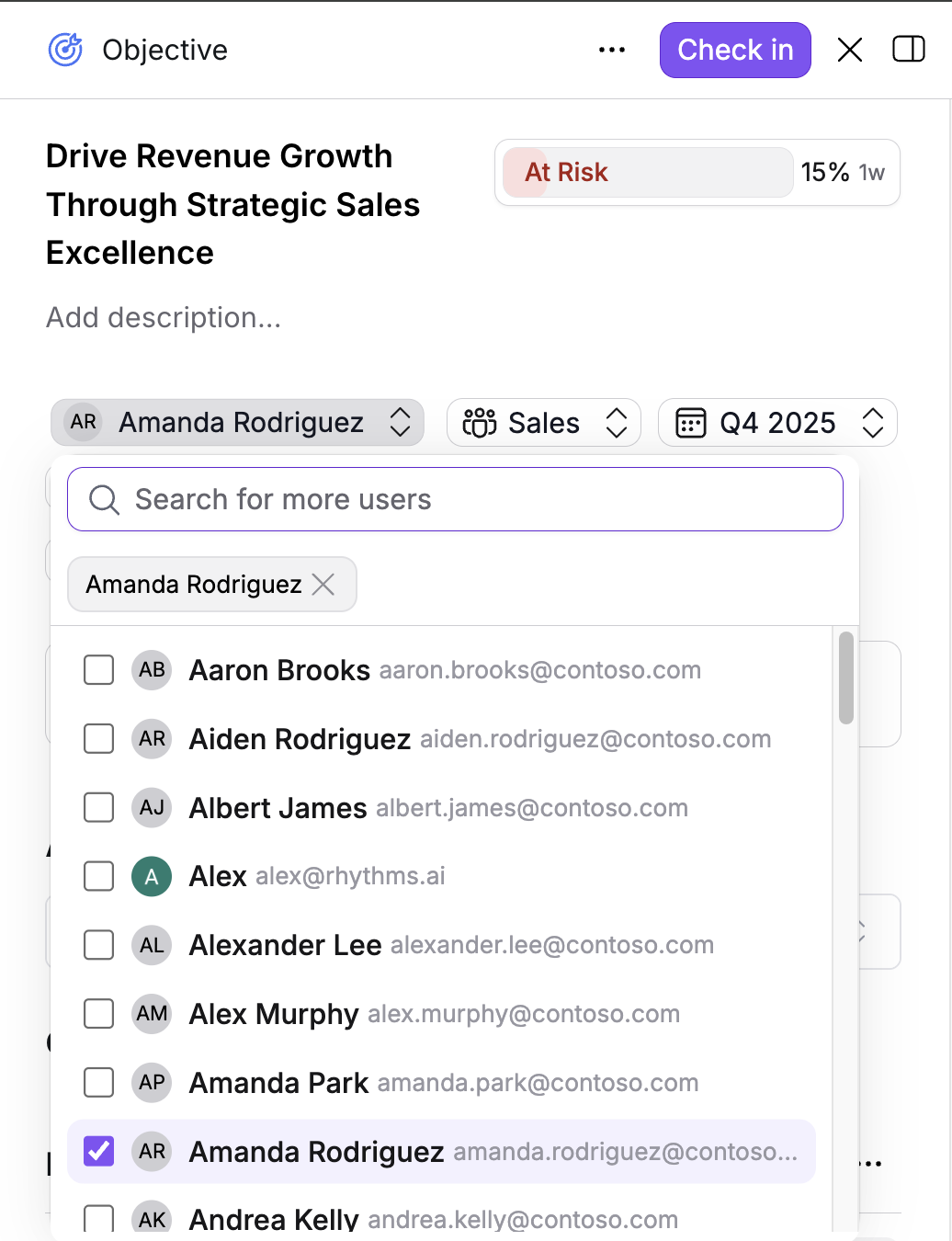
Change who's accountable for the OKR when responsibilities shift or a new person is better suited to drive it forward.
When to update:
Team member leaves or changes roles
Workload needs rebalancing
Different person has better context or expertise
What happens:
New owner sees the OKR in their personal views
Previous owner no longer has it in their assigned work
Notifications and reminders go to the new owner
Time Period
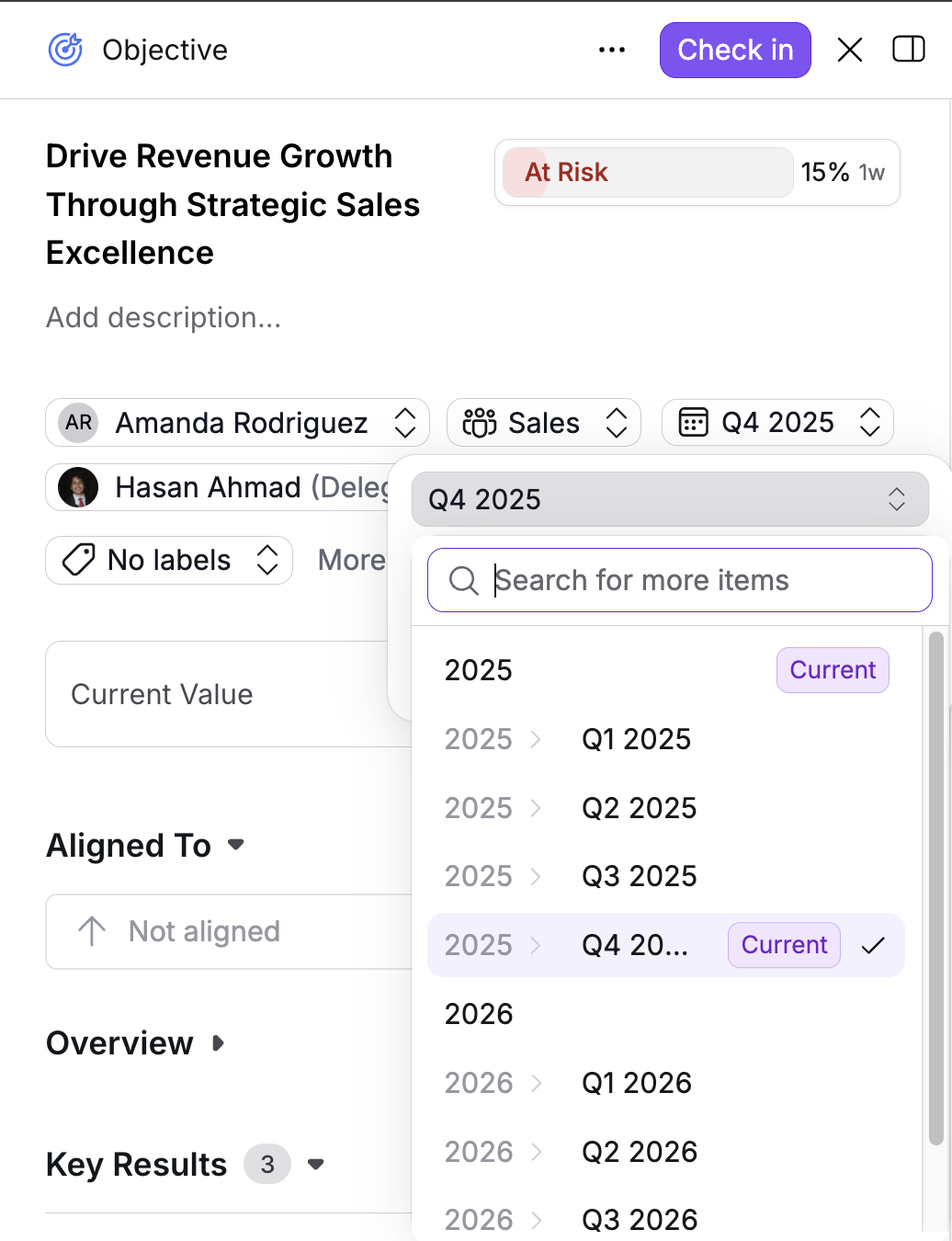
Extend or shorten the timeframe for achieving the OKR.
When to update:
Work is taking longer than expected (extend)
You can achieve it earlier (shorten)
Aligning to new planning cycles
What happens:
Affects when progress tracking is expected
May impact related check-in schedules
Doesn't change historical check-in data
Team
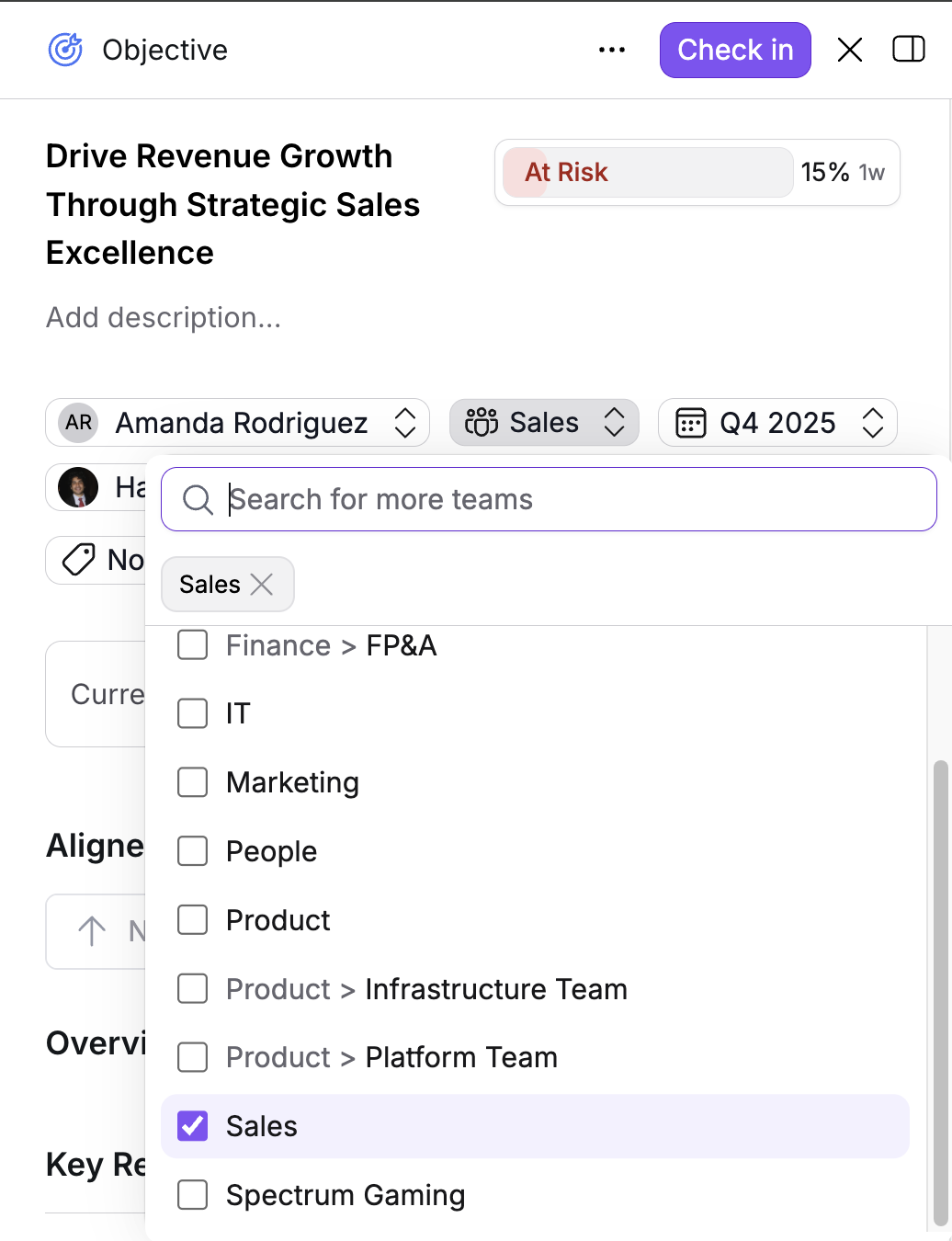
Change which team owns the OKR when scope or audience shifts.
When to update:
Organizational restructuring
OKR better fits a different team's focus
Cross-functional work shifts ownership
What happens:
OKR visibility may change (only visible to the new team's views)
Team members of the previous team can no longer see it in their team view
New team sees it in their team view
Important: This change affects visibility immediately. If visibility is restricted, members of the previous team lose access, and members of the new team gain access.
Example: Moving an Objective from the "Spectrum Gaming" team to "Sales" means it will no longer appear in Spectrum Gaming's view. Navigate to the Sales view to see the updated Objective and confirm proper visibility.
Alignment
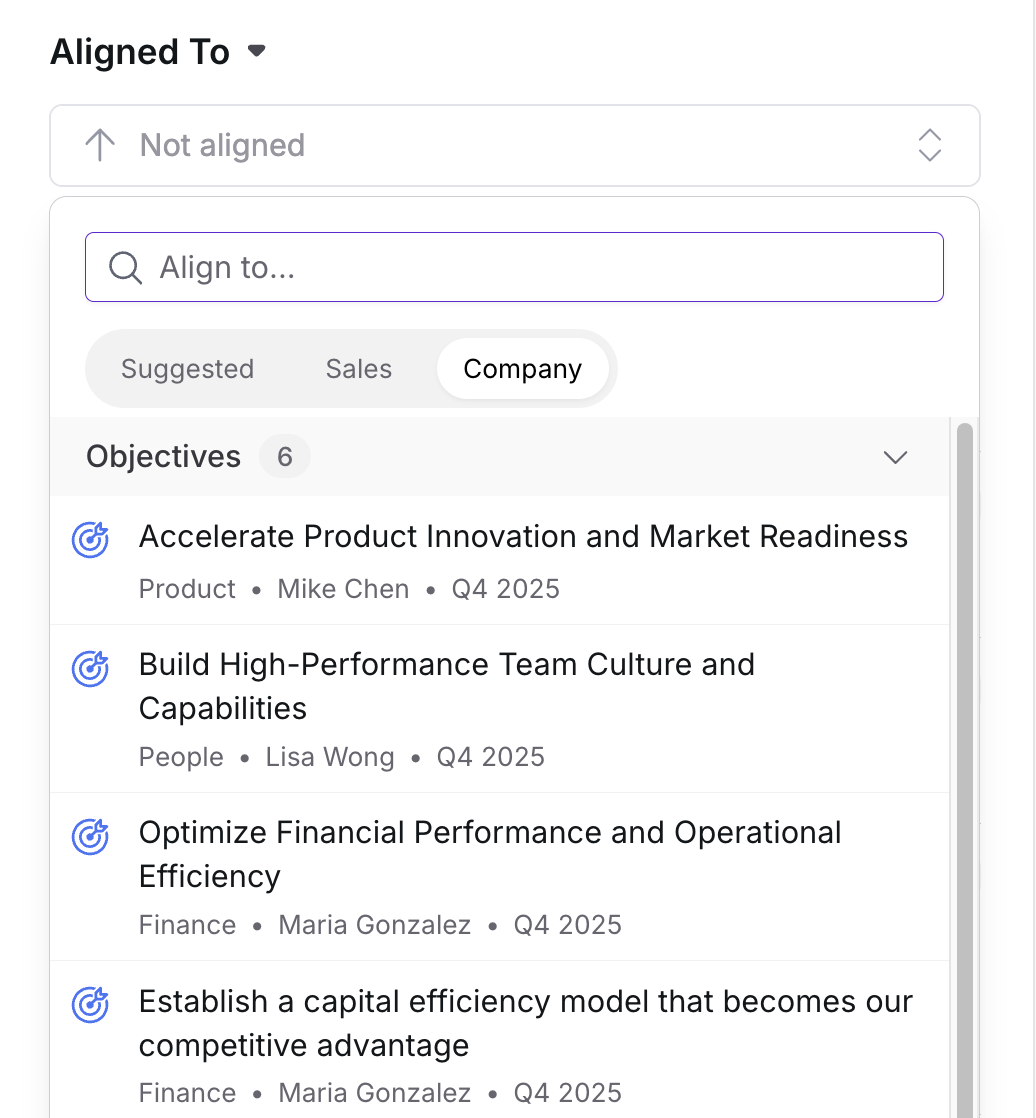
Change which parent Objective or Key Result this OKR connects to.
When to update:
Strategic priorities shift
Discovered better alignment opportunity
Correcting initial misalignment
What happens:
OKR appears under new parent in hierarchy views
Previous alignment connection is removed
Child OKRs (if any) remain connected to this OKR
Use caution: Changing alignment can orphan child OKRs if you're not careful. If this OKR has child Objectives beneath it, verify that all children still make sense with the new parent alignment. Refer to Introduction to OKRs for guidance on alignment patterns.
Key Result Metrics
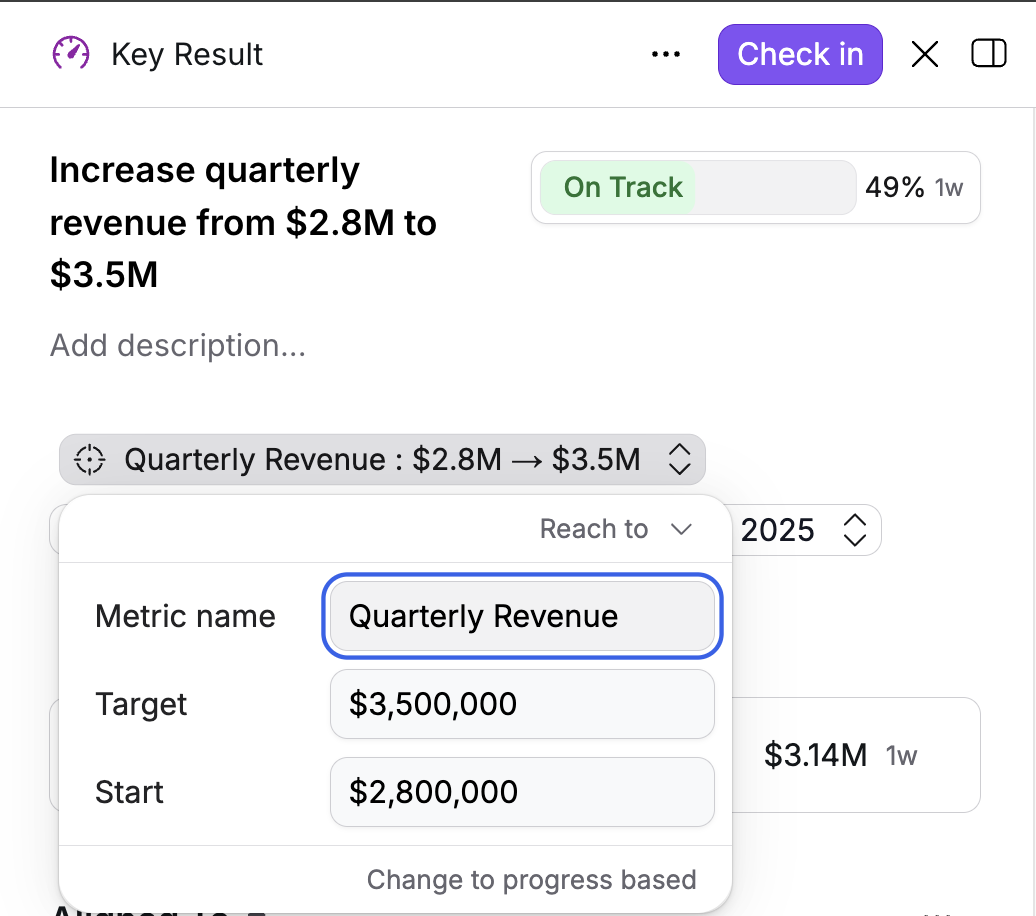
Update the measurement approach for a Key Result.
When to update:
Discovered better way to measure success
Baseline or target was significantly off
Measurement approach isn't working
What happens:
Changes how progress is calculated going forward
Existing check-in data remains but may not align with new metric
May require updating existing check-ins to match new measurement
Warning: Significant metric changes mid-cycle can invalidate historical progress tracking. Consider whether creating a new Key Result makes more sense than editing the existing one. Minor adjustments to targets are usually fine, but changing from "Reach a Target" to "Stay Above a Limit" fundamentally changes what you're measuring.
Labels and Tags
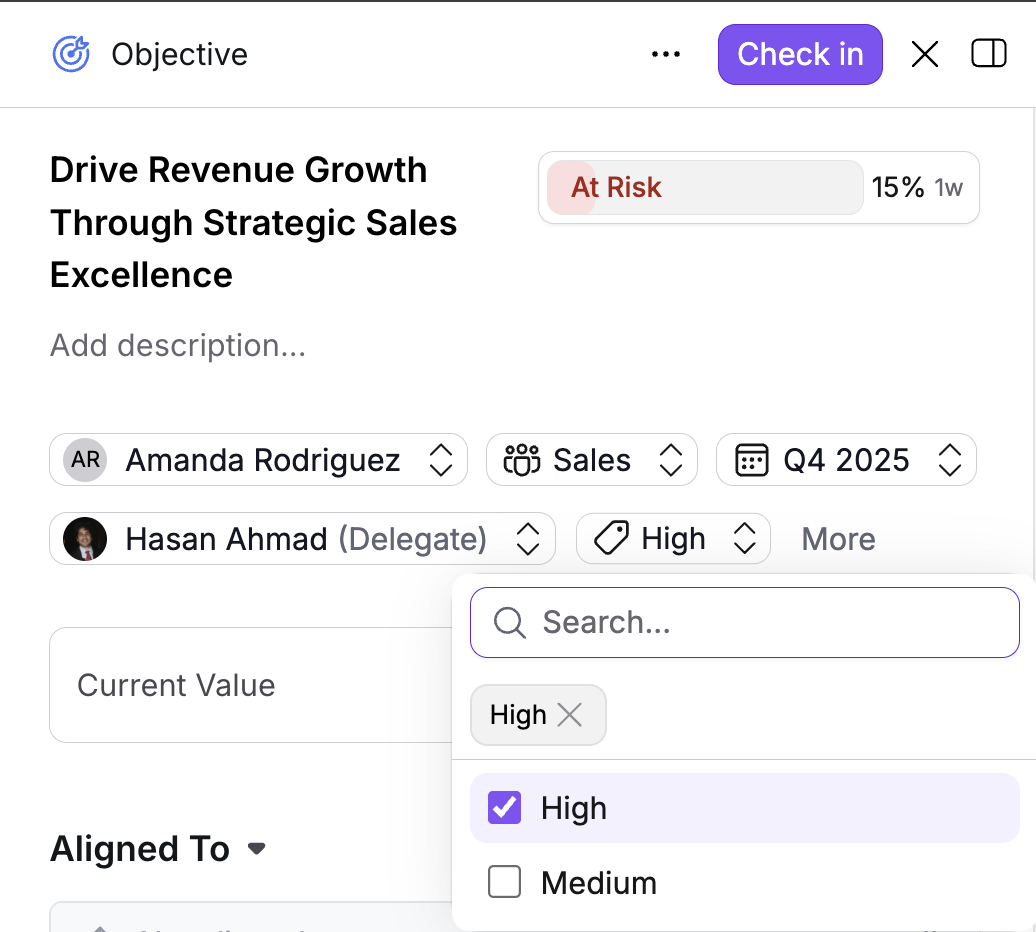
Add categorization or metadata to help organize and filter OKRs.
When to update:
Need better filtering capabilities
Organizing by initiative, theme, or priority
Improving searchability
What happens:
Makes OKRs easier to find and filter
Doesn't affect alignment or ownership
Special Considerations by OKR Type
While the editing process is identical, different OKR components have unique implications:
Editing Objectives
Changing alignment impacts child Objectives: If this Objective has child Objectives beneath it, changing its parent alignment affects the entire hierarchy. Verify that all child Objectives still make sense with the new structure.
Changing teams affects visibility broadly: All child OKRs, Key Results, and Initiatives inherit the team change and become visible only to the new team.
Editing Key Results
Changing metrics affects progress tracking: Modifying how you measure a Key Result may require updating past check-ins to maintain accurate progress history.
Progress contribution can be toggled: You can control whether this Key Result contributes to its parent Objective's overall progress percentage. Guardrail Key Results (like satisfaction thresholds) often don't contribute to progress but are still necessary for success.
Editing Initiatives
Changes don't affect progress calculation: Since Initiatives typically don't count toward Objective progress, editing them has no impact on how progress is measured. You have more flexibility to adjust Initiative details without tracking implications.
When to Create New Instead of Editing
Sometimes creating a new OKR makes more sense than editing an existing one:
Fundamentally changing the goal: If the Objective's purpose has changed substantially, create a new Objective and close the old one. This preserves the historical record of what you originally intended.
Splitting one Objective into multiple: When an Objective becomes too broad, create separate Objectives for each distinct focus area rather than trying to repurpose the original.
Significant metric changes: If a Key Result's measurement approach changes dramatically (not just adjusting targets), create a new Key Result. This maintains clear historical tracking.
Major scope changes: When an OKR's scope expands or contracts significantly, creating a new one with proper alignment often creates clearer communication than editing the existing one.
Understanding the Impacts of Changes
Real-Time Updates
All changes reflect immediately across Rhythms. There's no delay or approval process. As soon as you save an edit:
Other users see the updated information
Dashboards and reports reflect the changes
Notifications may trigger for affected users
Visibility Changes
Changing teams affects who can see the OKR:
Members of the previous team lose visibility
Members of the new team gain visibility
Parent and child relationships remain but may cross team boundaries
Always verify visibility after team changes by navigating to the relevant team views.
Alignment Integrity
Breaking alignment relationships can orphan related OKRs:
Child Objectives lose their parent connection
Key Results may become disconnected from strategy
Progress rollup calculations may be affected
After changing alignment, review all related OKRs to ensure the hierarchy still makes sense.
Historical Data Preservation
Most edits don't affect historical data:
Past check-ins remain unchanged
Progress history is preserved
Activity logs maintain the record of what happened
Exception: Changing Key Result metrics may make historical check-ins less meaningful if the measurement approach changed significantly.
Verification After Editing
After making changes, verify:
The change took effect:
View the OKR detail panel to confirm your edits saved
Check that displayed information matches what you entered
Visibility is correct:
If you changed teams, navigate to the new team's view
Confirm the OKR appears where expected
Verify it's no longer in the old team's view (if applicable)
Alignment is valid:
Check hierarchy views to see parent-child relationships
Verify child OKRs still make sense with new alignment
Confirm no OKRs were unintentionally orphaned
Related OKRs are unaffected:
Review child Objectives to ensure they weren't disrupted
Check that Key Results still connect properly
Verify Initiatives remain associated correctly
Frequently Asked Questions
What happens when I change the team?
The OKR moves to the new team's view and disappears from the previous team's view. Visibility shifts immediately. All child OKRs, Key Results, and Initiatives move with it. Always verify the OKR appears correctly in the new team's view after making this change.
Can I change Key Result metrics mid-cycle?
Yes, but use caution. Changing how you measure a Key Result can make historical progress tracking less meaningful. If the measurement approach changes dramatically, consider creating a new Key Result instead of editing the existing one. Minor adjustments to targets are usually fine.
Should I edit an existing OKR or create a new one?
Edit when making refinements (clearer wording, adjusted targets, changed ownership). Create new when fundamentally changing the goal, splitting into multiple OKRs, or making major scope changes. Creating new preserves the historical record and communicates the change more clearly.
What if I break alignment accidentally?
You can fix it by editing the alignment field again and reconnecting to the appropriate parent. Check all child OKRs to ensure they weren't orphaned by the change. If you're unsure about proper alignment, refer to Introduction to OKRs for guidance on alignment patterns.
Do edits affect historical check-ins?
Most edits don't affect past check-ins. The historical progress data remains unchanged. The exception is changing Key Result metrics significantly, which can make past check-ins less meaningful since they were measured differently.
Can I undo changes after saving?
Rhythms doesn't have a built-in undo feature. If you make a mistake, you'll need to manually edit the OKR again to revert the change. This is why it's important to verify changes immediately after making them.