February 5, 2026 Release Notes
Last updated: February 9, 2026
This week brings enhanced permission controls for OKR management, giving your organization fine-grained control over who can edit versus manage objectives and key results at every level.
OKR Permissions: Granular Edit and Manage Controls
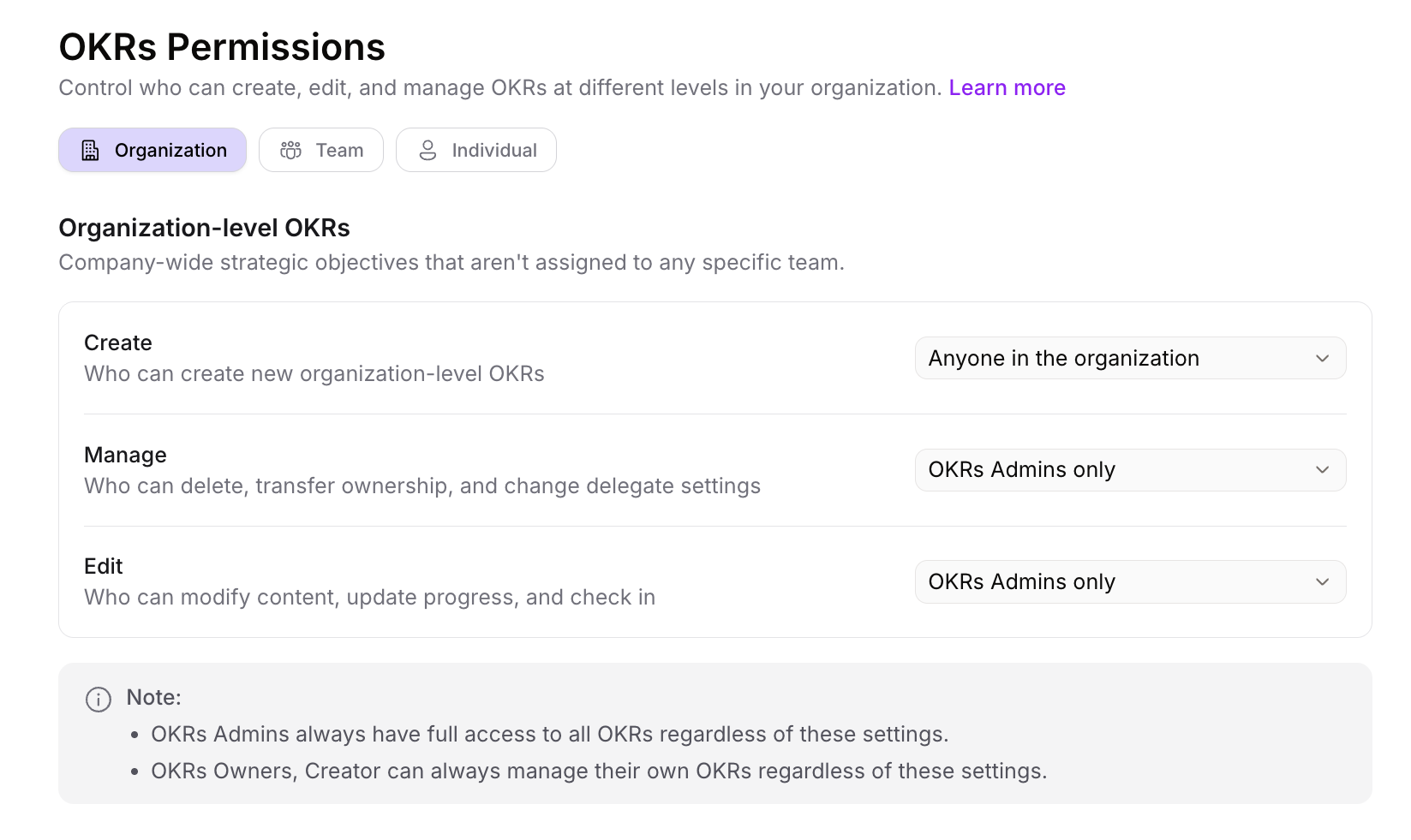
Control exactly who can edit versus manage OKRs across your organization with separate permission settings. Edit permissions govern who can modify content, update progress, and submit check-ins, while manage permissions control administrative actions like deleting OKRs, transferring ownership, and changing delegates. These permissions can be configured at the organization level (affecting all OKRs), team level (affecting team-specific OKRs), and individual level (affecting personal OKRs). This separation gives administrators precise control over user capabilities, allowing team members to collaborate on OKR content while restricting sensitive administrative actions to designated leaders. Navigate to Settings > OKRs > Permissions to configure permissions for your organization.
Learn more: 📄 Rhythms OKR Roles and Permissions
Improvements
Tenant Switching: Switch between organizations more smoothly with improved loading states and streamlined authentication, making it easier to manage multiple workspaces
Impersonation (Admin): Enhanced security and compatibility when support staff impersonate users to troubleshoot issues, enabling better assistance across Microsoft Teams and other environments
API Performance: Objective API endpoints now return optimized responses with reduced payload sizes, enabling faster page loads and smoother navigation
Fixes
Time Period Management: Time periods now delete smoothly regardless of associated compliance data, resolving database constraint issues that previously blocked deletion